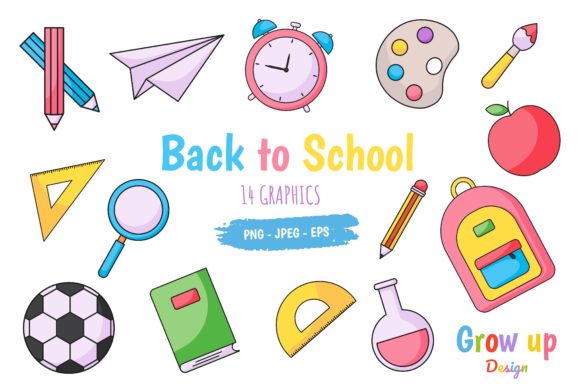
Back to School Doodle Icons: A Versatile Vector Set for Creators and Professionals
Whether you are a teacher preparing classroom materials, a blogger designing seasonal content, a marketer crafting back-to-school campaigns, or a freelancer building client projects, the right visual assets can save hours of work and elevate your output. The Set of Back to School Doodle Icons offers exactly that kind of flexibility. This vector collection packs 100 hand-drawn style icons covering school-related subjects, classroom objects, stationery, graduation themes, and more. Because the set comes in Adobe Illustrator (AI), EPS, and JPG formats, you can work with it regardless of your preferred design software or skill level. The doodle aesthetic brings a friendly, approachable feel that works well across both digital and print media without looking overly corporate or stiff.
Below, we explore what makes this icon set practical for real-world use, where it fits best, and how to get the most value from it—whether you are a seasoned designer or someone who just needs decent visuals without starting from scratch.
What the Set of Back to School Doodle Icons Offers
This collection is essentially a ready-made library of vector graphics. Each icon is drawn in a doodle style, meaning the lines feel organic and slightly imperfect, as if sketched by hand. That aesthetic difference matters. In a landscape where too many visuals look polished to the point of being forgettable, doodle icons add warmth and personality. The set includes 100 unique icons, covering everything from pencils, books, and rulers to backpacks, apples, clocks, buses, and graduation caps. Because the icons are vectors, they scale infinitely without losing quality. You can resize them for a small social media graphic or blow them up for a poster without worrying about pixelation.
The pack is organized with color RGB profiles, making it suitable for screen-based projects. The files come in three formats: .AI (Adobe Illustrator native), .EPS (compatible with Adobe Illustrator 10 and many other vector programs like CorelDraw), and .JPG (for quick previews or direct use). This triple-format approach removes compatibility headaches. Whether you work on macOS or Windows, with subscription-based software or older standalone versions, you have a format that will open cleanly. For anyone who has ever received a file that would not open or required conversion, this is a genuine time-saver.
Scalability and Resolution Independence
Because the icons are vectors, they are resolution-independent. You can scale them to any dimension without degrading quality. This is particularly valuable for projects that need to appear on multiple platforms. A single icon used on a website, a flyer, a banner, and a mobile app can remain crisp across all of them. Raster images would require multiple exported sizes; vectors let you export exactly what you need on the fly.
Hand-Drawn Aesthetic for Approachable Branding
Doodle style icons convey a sense of informality and creativity that polished, geometric icons cannot match. For brands targeting younger audiences, educators, or parents, this look signals approachability rather than corporate stiffness. It also works well for content that aims to be engaging rather than purely informative. Blog posts about back-to-school tips, newsletters for parent-teacher associations, or social content for educational brands benefit from visuals that feel human and warm.
Broad Software Compatibility Without Extra Steps
The inclusion of both .AI and .EPS formats means that users of CorelDraw, Affinity Designer, Inkscape, or older versions of Illustrator can open and edit the files. The .EPS file is saved in Adobe Illustrator 10 format, which is widely supported even in software that has not been updated in years. The .JPG files provide a quick way to preview the icons or use them directly in non-vector workflows. This kind of compatibility is rare and valuable, especially when you are collaborating with others who may not have the same software version as you.
Educational Materials and Classroom Resources
Teachers and educators can use these icons to create worksheets, handouts, bulletin board decorations, and digital presentations. The doodle style fits naturally into materials designed for children, making lessons feel more inviting. For example, you can combine a book icon with a reading assignment, an apple icon with a science project, or a bus icon with a field trip notice. Because the icons are vectors, you can adjust the colors to match your school’s branding or your classroom theme without starting from scratch.
Content Creation and Blogging
Bloggers and content creators covering parenting, education, organization, or back-to-school topics can use these icons to break up text, create featured images, or design freebies like checklists and planners. A post about school supply shopping can include icons for each item on the list, turning a plain text list into a visually scannable asset. Email newsletters also benefit from doodle icons; they add personality to an otherwise text-heavy medium and can increase click-through rates when used in calls-to-action or section headers.
Marketing and Branding Campaigns
Marketers promoting back-to-school sales, events, or products can use the icons to create consistent visual language across email, social media, web banners, and print flyers. Because the icons are vector-based, you can maintain brand consistency even when working at different sizes. A set of icons used in a social media carousel can also appear on a sidewalk sign without looking stretched or blurry. The doodle style helps the campaign stand out, especially during a season when most marketing material competes for attention with similar themes.
Freelance and Client Work
Freelancers who take on a variety of projects can keep this icon set in their toolkit for quick turnarounds. When a client needs a last-minute flyer for a school event or a set of social graphics for a tutoring service, you already have a cohesive library of icons that are ready to use. The time saved on sourcing or creating individual graphics can be redirected to strategy, copywriting, or other high-value tasks. The .EPS format is particularly useful if you use software like CorelDraw or Affinity Designer, which handle vector imports reliably.
Usability Benefits and Efficiency Gains
One of the overlooked advantages of a curated icon set is decision fatigue reduction. Instead of searching stock sites for individual graphics, hoping they match in style, you have a coherent collection in one place. The 100 icons in this set are designed to work together, so you can mix and match them freely without visual inconsistency. This coherence is vital when building reusable templates or brand systems. Once you have established a color palette and layout style, you can drop in icons quickly and confidently.
Editing the icons is straightforward. Because they are vector shapes, you can change the stroke weight, fill color, or line color to suit your needs. You can also combine multiple icons into a single graphic, adjust their positions, or scale them independently. The color RGB profile ensures that colors display accurately on screens, which is critical for digital-first projects. If you need to convert the set to CMYK for print, the vector format makes the conversion simple without losing color integrity.
Software Requirements and File Handling
While the .EPS file is broadly compatible, you will get the most flexibility if you use vector editing software like Adobe Illustrator, CorelDraw, Affinity Designer, or Inkscape. The .JPG files are convenient for quick use, but they are raster images and will not scale as well. If you plan to resize icons frequently or use them across multiple mediums, rely on the vector files. Make sure your software can import .EPS or .AI files before purchasing, especially if you use a less common program. Most modern design applications handle these formats, but it is worth verifying if you work on mobile apps or browser-based tools.
Color and Style Customization
The icons come with color fills, but you can remove or modify the colors easily in vector software. If your brand uses a specific shade of blue or green, you can update the icons accordingly. The doodle style uses line art that looks hand-drawn; this is not a flat, minimalist icon set. If your project calls for ultra-clean, geometric shapes, this set may not be the right fit. However, if you need warmth and personality, the style is a definite asset.
Licensing and Usage Rights
As with any purchased asset pack, review the licensing terms. Most vector sets allow use in commercial projects, but restrictions may apply to redistribution, reselling, or use in logo trademarks. If you plan to incorporate icons into products that you sell, such as templates, courses, or printed goods, confirm that the license covers that use. The set is designed for broad application, but clarifying these details prevents issues down the line.
Recommendations for Getting the Most Out of the Set
Start by opening the .AI or .EPS file and familiarizing yourself with the icon organization. Group similar icons by theme in your project file so you can find them later. Create a master document with all 100 icons arranged as a visual reference sheet; this makes it easy to scan and select what you need without opening individual files. If you frequently work in multiple applications, export a custom library of icons as SVG files for use in web design or prototyping tools. The vector originals give you that flexibility.
Consider using the icons to create reusable templates. A back-to-school checklist template, for instance, can be built once and reused each year with minor updates. A social media template series with the same icon set maintains visual continuity across posts, building recognition with your audience. For educators, a set of worksheets that consistently uses these icons can become part of your annual resource library, saving preparation time year after year.
Final Thoughts
The Set of Back to School Doodle Icons delivers exactly what a practical vector pack should: variety, compatibility, and aesthetic consistency. With 100 icons spanning school-related themes, three usable file formats, and a warm hand-drawn style, it suits a wide range of professional and personal projects. Whether you are designing for a classroom, a client, or your own brand, having a reliable set of vector visuals on hand reduces friction and lets you focus on the message. The doodle approach stands out in a sea of polished stock graphics, and the technical flexibility ensures you can work with it no matter what design tools you prefer. For anyone who creates content or materials around the back-to-school season, this set is a worthwhile addition to your digital toolkit.